Posts

How to change Oracle XE default hostname and DB ports

How to change Oracle XE default hostname and DB ports Stop listener in command window: lsnrctl stop Modify ORACLE_HOME/app/oracle/product/10.2.0/server/NETWORK/ADMIN/listener.ora LISTENER = (DESCRIPTION_LIST =  (DESCRIPTION =    (ADDRESS = (PROTOCOL = IPC)(KEY = EXTPROC1))    (ADDRESS = (PROTOCOL = TCP)(HOST = <hostname>)(PORT = <port number>))  ) ) Change the PORT to the number wanted. Also modify PORT in tnsnames.ora and save. Start listener: lsnrctl start Run SQL Plus to add local listener for that port, then change HTTP listening port: conn system/password; alter system set local_listener = "(ADDRESS=(PROTOCOL=TCP)(HOST=<hostname>)(PORT=<port number>))"; exec dbms_xdb.sethttpport(<port number>); alter system register; disc; If "set local_listener" is omitted, you probably will get get "ORA-12514: TNS:listener does not currently know of service requested when openning SQL Plus with...
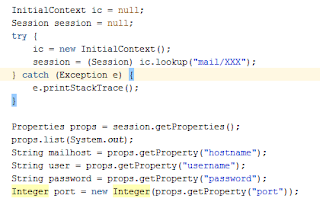
Email notification using Java Mail API and Freemaker API in ADF application.

Image
Email notification in Oracle ADF. Sending Email using Java Email API and Freemaker template: About  FreeMarker:  In FreeMarker you define templates, which are text files that contain the desired output, except that they contain placeholders like ${name}, and even some logic like conditionals, loops, etc. In your Java program you supply the actual values for these placeholders and the final output is generated based on this input. How to send an email in ADF application: 1)       Create Fusion web application in Jdevloper. 2)       Add required jar as below on classpath i)                     Freemaker.jar ii)                    Javax.mail-1.5.0.jar iii)             ...

How to check the logs generated by MAF application

Image
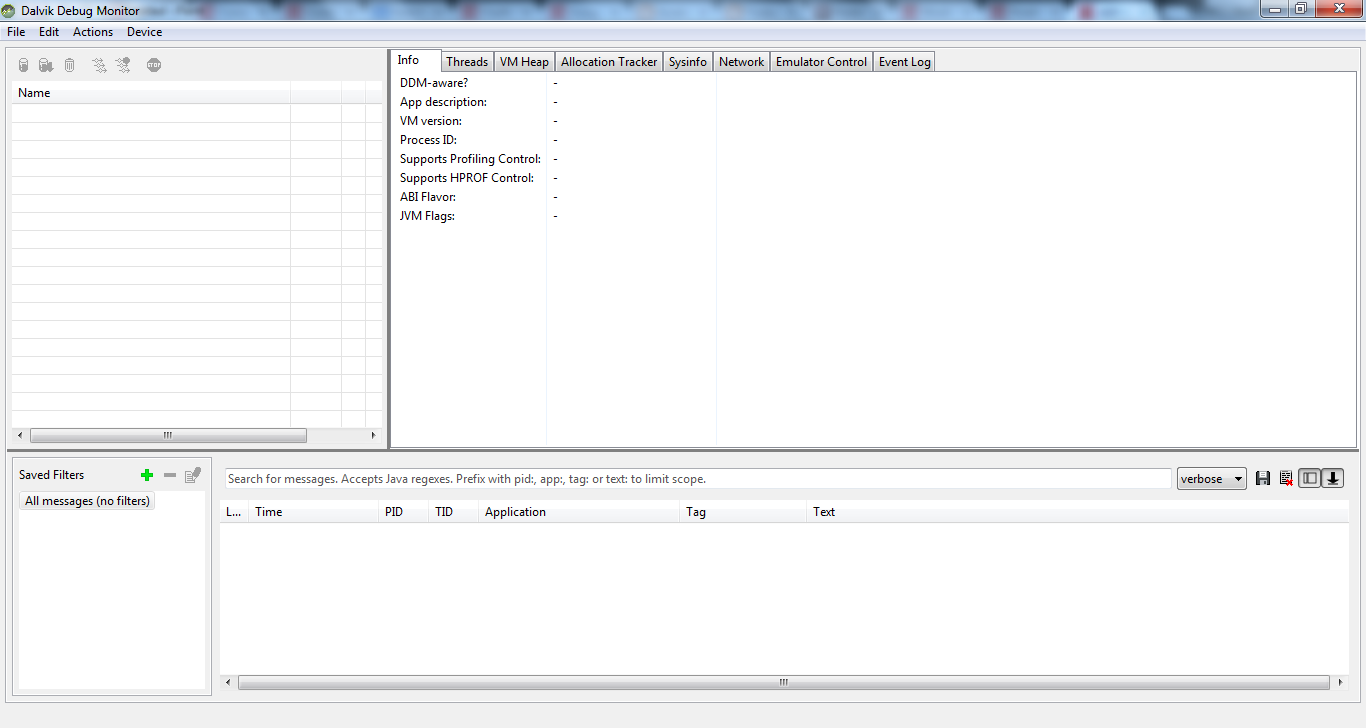
Hi Friends, How to check the logs generated by the MAF application In MAF application, if you deploy the app on emulator and would like to see the logs generated by your application. Use below steps:   1)       Add logger in your code      Logger.getLogger(Utility.APP_LOGNAME).logp(Level.INFO, this.getClass().getName(), "Kiran","button has been pressed"); 2)       Or add System.println.out(“”); statement. 3)       Change the level of logging in logging.properties. 4)       Deploy app in debug mode. How to view the logs: To view the logs you can use the utility available in sdk Sdk path: /sdk/tools/ddms Run the ddms utility to see the logs.

Oracle WebCenter Content : Admin Applets issue

Image
This information will be useful for all those who has started to understand about UCM now it is known as Oracle WebCenter Content. I am using Oracle WebCenter Content 11g (11.1.1.6.0) Issue: First time Admin applets will not run properly in your environment. It will ask to update the JRE on your machine and if you will update the JRE 1.8 update 25 then also admin applets will not run properly. You will get below error probably, Solution: you can try the following workaround for this issue: Navigate to the <JRE_install_location>\lib\security Open the java.policy file for editing In the list of permissions, add the following line:   permission java.util.PropertyPermission "user.timezone", "write";  permission java.security.AllPermission; Save and exit the file Restart the windows. Verify that you're now able to open the Admin applets. Hope this info is useful to all.

Image download servlet

Image
Requirement : In Application we need to show image in image component. I have followed below approach. Created servlet and mapped its url to image source attribute. Please follow below screen shot. and ImageServlet code.. public class ImageServlet extends HttpServlet {     private static final String CONTENT_TYPE = "image/jpeg; charset=UTF-8";     public void init(ServletConfig config) throws ServletException {         super.init(config);     }     public void doGet(HttpServletRequest request,                       HttpServletResponse response) throws ServletException,                                                            IOException {         response.setContentType(CONTENT_TYPE);...

How to track the row changes in ADF

Requirement:  Want to store the old value of attribute in some other table if user change it. Solution : Define EntityImpl Class. Override the doDML() method of the same entity. Define EntityDefImpl Class of another entity though which preserve the changes in some another table. Please see below code     protected void doDML(int operation, TransactionEvent e) {         super.doDML(operation, e);         if(operation==DML_INSERT){           System.out.println("DML INSERT");           }         if(operation==DML_UPDATE){             System.out.println("Update operation");             System.out.println("-1-");             String entityName = "yash.hr.model.eo.EmpAudit";             System.out.println("-2-");       ...

How to fix the ADF Security error “JpsAnonymousRoleImpl” in Jdev 11.1.1.6.0

I have created a sample ADF application in Jdev 11.1.1.6.0 and when executed in “Integrated Weblogic server” within Jdev, it did not display any error message in the console and the application web page is loaded in the default browser successfully. Now I added the  ADF Security  for the Application. To do this, From the Menu options select the  Application  –> select  Secure -> Configure ADF Security ADF Authentication and Authorization  –> Form Based Authentication (Generate the default login and error pages. Should be something like “/ login.html “) -> No Automatic Grants -> Finish. Now when I executed my Application in Jdev, I was getting the “ <CodebasePolicyHandler> <migrateDeploymentPolicies> Migration of codebase policy failed. Reason: {0}. oracle.security.jps.JpsException: java.lang.IllegalArgumentException: oracle.security.jps.internal.core.principals.JpsAnonymousRoleImpl ”    error before my web page o...